AI · Photoshop
AI render editing: how to improve an image without changing the architecture
Use AI render editing without losing design accuracy. A practical guide to protected geometry, local masks, reflections, multi-view checks and client approval.
 AI
AIThe building is not an editable suggestion
AI render editing is useful when an architectural image needs a limited repair: a distracting background object, incomplete planting or a patch of texture that draws attention away from the building. It becomes risky when a visually convincing result is mistaken for a faithful representation of the design. A generated window can look completely plausible while being the wrong width. A terrace can become more attractive by quietly losing its balustrade. The working rule is simple: use generation to solve a defined image problem, then verify that everything outside the approved change still describes the same building.
Start by distinguishing a presentation task from a design task. Removing an accidental car from the far background may improve presentation without altering the proposal. Replacing a perforated metal screen with timber battens changes the architecture, even if the prompt calls it a material enhancement. The distinction belongs in the brief before editing begins. For marketing stills, an architect may authorise certain exploratory changes. For images supporting planning or contractual decisions, the acceptable scope can be much narrower. Do not infer permission from the fact that the edit is easy to generate.
Create a reference that cannot drift
Keep a clean reference render from the approved model, with its camera and scene version recorded. Save the unedited beauty pass, object masks and any useful depth or normal passes separately from the working composite. The reference is the evidence against which changes are judged. Repeatedly comparing the latest generated result with the previous generated result encourages gradual drift: each pass looks close enough to the last, but the final facade may no longer resemble the model. Return to the original approved reference when checking geometry, not merely to yesterday's edit.
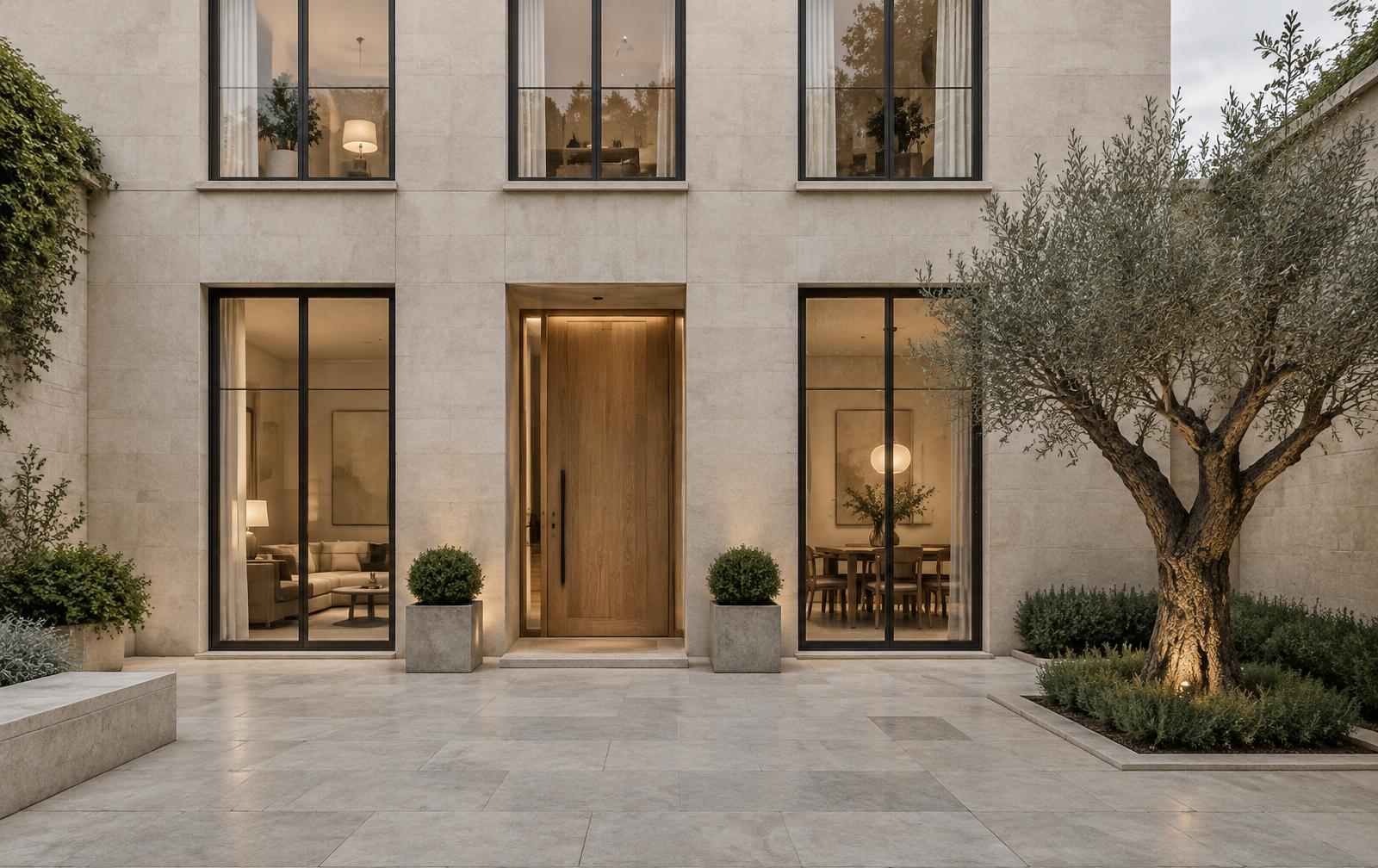
Write a short protected-feature list for the camera. On a residential courtyard, it might include the count and alignment of windows, sill heights, entrance width, paving joints and the position of the boundary wall. These features are not equally visible in every view, so tailor the list rather than using a generic checklist. Where dimensions matter, inspect the underlying model or drawing. A two-dimensional image can expose an obvious discrepancy but cannot certify a building's dimensions. AI editing should never become the method by which an approved elevation is reconstructed from appearance alone.
Mask the task, not the entire scene
A mask defines where an edit is requested; it does not guarantee that all architectural relationships will be respected. Keep the selected region as small as the task reasonably allows, and consider surrounding edges, contact shadows and reflections before generating. Replacing a shrub beside a glazed entrance can affect how the door reads even if the door itself is unselected. Generate the local proposal on a separate layer, then use ordinary compositing controls to restore protected boundaries. A clear layer structure is more dependable than asking a long prompt to enforce every constraint simultaneously.
Prompts should describe the replacement and its role in the existing image. For example, request low planting that stays below a sill, uses the existing perspective and receives light from the established direction. Avoid broad instructions such as improve the architecture or make the scene luxurious when the building is already approved. Controls for generation strength, references or structural conditioning differ between tools and versions. There is no universal slider value that preserves a facade. Treat settings as scene-specific experiments, compare alternatives and reject an attractive result if it changes a protected feature.
Check lighting and reflections after every edit
An edit can leave the silhouette intact while breaking the lighting. Check the new object's contact with the floor, the direction and softness of its shadow, and whether its brightness belongs to the same exposure as its neighbours. A pale planter generated in shade may look self-lit beside the original stone. Repairing that mismatch with a global grade can damage the rest of the rendering. Work locally and compare with nearby surfaces under similar illumination. If a convincing match needs repeated rescue passes, rendering the replacement in the original scene may be the more efficient choice.
Reflections deserve a separate inspection because they can reveal changes that the main view hides. A removed chair may survive in a mirror; a new tree may be absent from the glazing; a generated sky may disagree with reflected clouds. Inspect transparent surfaces as well, especially around mullions and interior edges. AI output is an image proposal, not a recalculation of the renderer's light transport. Where a changed object materially affects shadows, reflections or visibility through glass, update the three-dimensional scene and render those relationships rather than expecting a small patch to solve them reliably.
Protect consistency between approved views
One polished camera is not proof of a coherent project. If the same reception, facade or terrace appears in several approved views, list which changes must carry across the set. A generated chair should not become a different product in the reverse view, and a wall finish should not acquire a different joint layout. For repeatable architectural elements, use the scene as the shared source of truth. Independent image edits are best reserved for genuinely local presentation details. Otherwise the effort of matching separate generated results can exceed the time saved on the first image.
Consider a hypothetical courtyard package with an arrival view and a reverse view toward the gate. Adding a tall olive tree in the arrival image affects the shadow pattern and potentially the reverse camera's sightline. The client may approve the tree's appearance without realising those implications. Mark it as a proposed landscape change, update the scene if accepted and review both cameras together. This example is not a claim about a completed project. It illustrates why image approval and design coordination need to remain connected even when the edit begins as a small visual improvement.
Review changes at two different scales
Inspect edits at final delivery size and at close range. The full image reveals whether the new element steals attention or changes the visual hierarchy. A detailed crop reveals fused railings, broken joints, duplicated hardware and soft edges. Neither inspection replaces the other. A tiny defect that is invisible in a web thumbnail may dominate a printed board; a technically neat patch may still make the entrance harder to read. Review the actual resized and compressed delivery file, because sharpening and compression can change the appearance of an otherwise acceptable composite.
Difference layers and partial-opacity overlays are useful aids, not automatic acceptance tests. They can reveal shifted edges or changes outside the intended area, but lighting adjustments can also produce large differences without changing geometry. Read the result in context. Compare window corners, roof outlines and repeated facade features deliberately, then review the material and shadow changes. Ask a second person to inspect high-consequence views where possible. Fresh attention is particularly valuable after many generations, when the editor has become familiar with a slightly distorted detail and no longer notices it immediately.
Separate design changes from image improvements
Keep design comments separate from image comments in the review record. Change the planting density is not the same instruction as move the path, and reduce glare is not permission to alter the glazing specification. If a generated option suggests a genuinely useful architectural revision, show it as an option and obtain the appropriate approval before treating it as the proposal. That separation protects both the artist and the architect. It also reduces the chance that an illustrative improvement is later interpreted as a promise about the built project or supplied finish.
Disclose AI assistance in a way that matches the commission and delivery agreement. A public concept illustration should not imply that it documents a real building. A client package may need an edit log, while another may need only the agreed production note. Keep confidential project material out of unapproved tools throughout the process. The fact that only a cropped region is uploaded does not establish that it contains no sensitive information. Check the crop for identifying signage, unreleased design details and information embedded in the surrounding image before sharing it externally.
Deliver a traceable approved image
Archive the original render, the layered working file, the selected generated alternatives and the approval record together. Name the final file so its scene and edit versions are clear. The goal is not to preserve every abandoned experiment forever; it is to make the approved change explainable and reversible. If the client later revises the entrance, the artist should know which pixels came from the model and which were added afterward. A flattened JPEG alone cannot answer that question, particularly after several rounds of local repairs and grading.
The best next step is a controlled pilot on one low-risk edit, not a full-scene transformation. Choose a background repair, define the protected features and compare the result with the original at the intended delivery size. If the change affects the building, other cameras or the physical lighting relationships, move it back into the scene. AI render editing earns its place when it reduces repetitive image work while preserving accountable design decisions. A more persuasive picture is worthwhile only when it still represents the architecture the client actually approved.