AI · Blender + Unreal Engine 5
Building a production-safe Astra, Blender, and Unreal Engine pipeline
A practical framework for using Astra across Blender and Unreal Engine without losing scene structure, material control, revision history, or the judgement that makes an architectural image convincing.
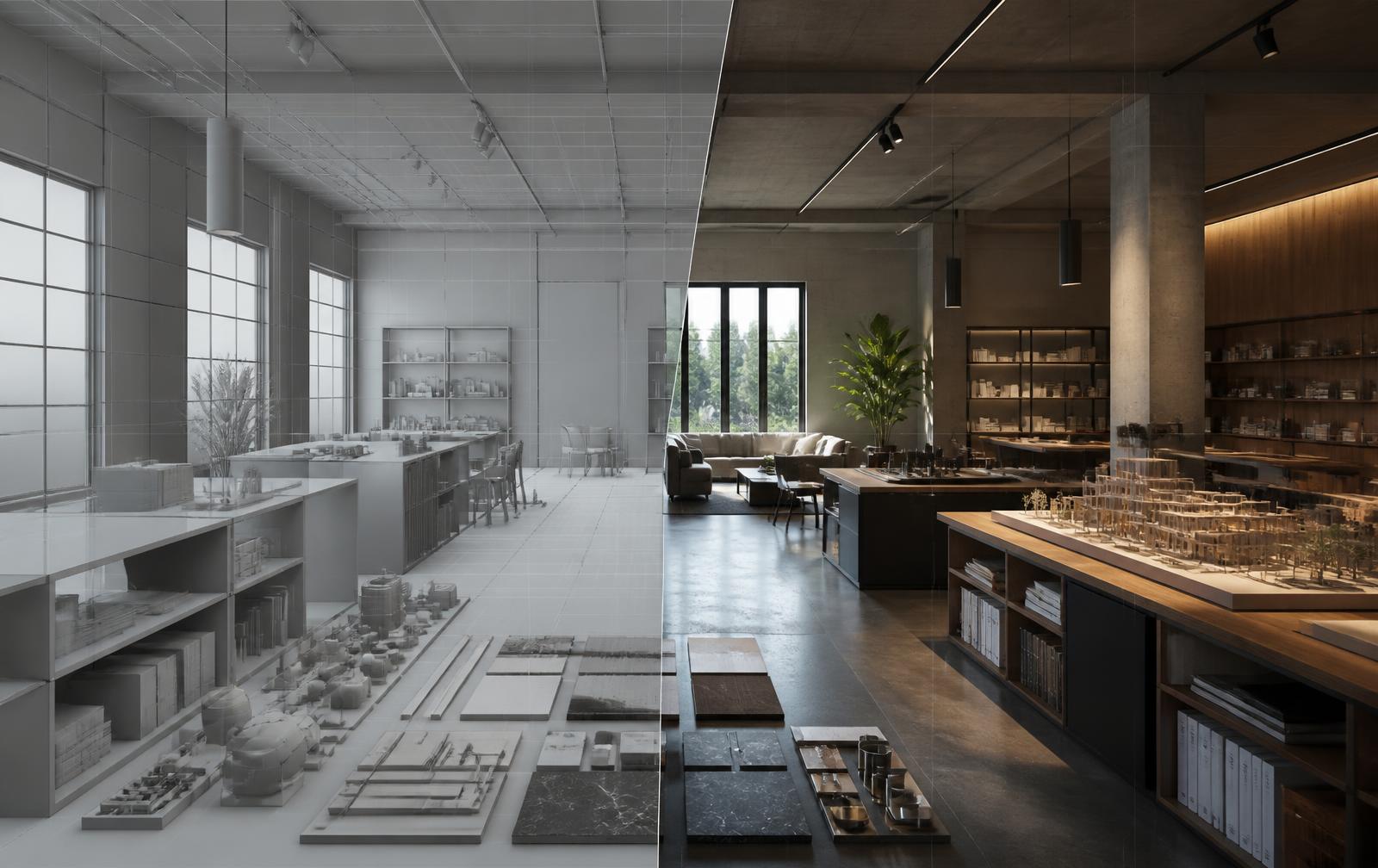 AI
AIThe interesting question around Astra is no longer whether an AI model can move between Blender and Unreal Engine. The public demonstrations have made that possibility clear enough. The more useful question for an architectural visualization studio is whether the resulting scene can survive a real project: three rounds of comments, a revised furniture package, a late material swap, and a client presentation that starts tomorrow morning. A fast first pass has little value if every revision breaks the file.
That makes scene structure the first production test. Before Astra touches geometry, the project needs a naming system that a person can understand without opening every object. Shell, glazing, fixed furniture, loose furniture, lighting, landscape, and cameras should live in separate collections. Repeated objects need consistent names. Origins and transforms should be clean. This sounds basic because it is basic, but AI automation tends to amplify whatever order or disorder already exists. A clear file becomes faster. A messy file becomes a larger mess in less time.
The best role for Astra at the Blender stage is controlled setup rather than unchecked design. It can help create collections, rename batches of objects, establish cameras, generate simple modifiers, and prepare export groups. Those are jobs with rules that can be inspected. Asking it to decide the emotional center of a lobby or the correct proportion of a reception desk is different. Those decisions depend on the brief, the architect's intent, and the way the final image needs to read. They should remain visible human choices.
Geometry also needs a clear acceptance standard. Walls should remain planar, openings should be clean, normals should face the right direction, and repeated assets should use instances where practical. Decorative bevels need to be deliberate rather than applied to everything. A generated scene may look acceptable from one camera while hiding overlapping faces, duplicate objects, or unnecessary subdivisions. Before export, inspect the model in solid view, check statistics, and orbit beyond the approved viewpoints. If the scene only works from one angle, it is not ready for a real-time handoff.
Materials are where a Blender to Unreal transfer usually reveals its compromises. A principled material in Blender does not automatically become a polished Unreal material. Keep the source graph simple and predictable: base color, roughness, normal, metallic where appropriate, and a controlled displacement strategy. Procedural Blender materials should be baked or rebuilt before the final transfer. It is safer to regard imported materials as placeholders with correctly assigned slots, then connect them to a curated Unreal master material library.
A master material approach protects the project during revisions. Concrete, timber, glass, metal, fabric, and painted surfaces each need a tested parent material with parameters for tint, roughness, normal strength, texture scale, and variation. Astra can assist with assigning instances and checking for empty slots, but it should not invent a fresh shader graph for every object. A small set of dependable material families produces better images and makes global changes possible when the client asks for warmer oak across the entire scheme.
The transfer itself should be treated as a repeatable publish step, not a one-time export. Agree on units, axis orientation, object naming, collision requirements, and the destination folder before the first handoff. Datasmith remains useful when preserving architectural hierarchy and material assignments matters. FBX can be appropriate for selected assets with simpler requirements. Whichever route is chosen, do not mix methods casually inside one project. A written export preset is far more valuable than relying on someone to remember the correct boxes each Friday.
Inside Unreal Engine, separate imported content from project-authored content. Imported meshes should occupy their own folder. Unreal materials, Blueprint logic, sequences, lighting, and presentation cameras should sit outside that folder so a reimport cannot wipe out careful work. This boundary is especially important when Astra is handling repeatable tasks. Automation needs a safe area to replace and a protected area it cannot alter. Without that distinction, speed at the front of the pipeline creates risk at the back.
Lighting deserves the same discipline. Start with physical scale and believable sources rather than asking the system to make the scene dramatic. For an interior, set the daylight direction, establish exposure, and then add practical fixtures using plausible intensities and temperatures. Warm interior lighting around 3599K can sit comfortably against neutral daylight without turning timber orange or white walls yellow. Lumen can provide a strong interactive base, but reflections, emissive surfaces, thin glazing, and dark corners still need inspection from every delivery camera.
Performance checks should begin before the scene looks finished. Watch instance counts, texture memory, shadow cost, translucency, and the number of movable lights. Nanite is useful for detailed static geometry, but it is not permission to ignore asset quality. Large texture sets and expensive materials can still make navigation unpleasant. A sensible Astra task is to produce a scene report that lists unusually dense meshes, oversized textures, missing lightmap data, and objects that are not instanced. The artist then decides what actually needs changing.
Revision control is the point where this pipeline either becomes professional or stays a demo. Save numbered Blender publishes and match them to named Unreal imports. Record what changed, who approved it, and which cameras are affected. Keep client comments separate from automated task instructions. If Astra makes a batch change, the result should be reviewable as a discrete version rather than folded invisibly into the working file. Studios do not need perfect software engineering, but they do need a path back to yesterday's scene.
There is also a straightforward rule for prompts and project data: do not place confidential client information into an AI workflow unless the tool, account, and agreement are approved for that use. Strip names and commercial details from task descriptions where possible. Use visual and technical language instead. A request such as 'replace the reception floor finish with honed grey limestone' usually contains all the information the task needs. The contract value and unreleased project address do not belong in the instruction.
A good production test is intentionally boring. Take one contained room, choose two approved cameras, and run it through the entire process. Revise a wall opening. Replace one finish. Reimport the model. Confirm that cameras, material instances, lights, and sequences survive. Package the Unreal project and open it on a second machine. This reveals more than a polished demo because it tests the part clients actually pay for: dependable change.
Astra can make a Blender and Unreal workflow quicker, but speed should be the result of stronger standards rather than a substitute for them. Let automation handle legible, repeatable work. Keep composition, material judgement, lighting balance, and final approval with the artist. The studios that benefit most will not be the ones that automate everything. They will be the ones that define exactly what can be automated without weakening the image or the project file behind it.