AI · Photoshop
AI sky replacement for architectural renders: matching light, shadow and reflection
A new sky changes far more than the top of the frame. How to use AI sky replacement in arch viz without breaking sun direction, glazing reflections or colour balance.
 AI
AIWhy the sky is a lighting decision
Sky replacement is the most requested post-production change on exterior work, and AI tools have made it a two-click job. Photoshop's Sky Replacement, generative fill and a growing set of dedicated plugins will mask a building, drop in a dramatic cloudscape and blend the edges in seconds. The problem is that a sky in an architectural image is not decoration. It is the light source, the reflection source and the colour reference for every surface below it.
When a client says the sky looks flat, they usually mean the whole image lacks direction. A grey overcast HDRI produces soft, even shading, and swapping in a sunset sky above that shading creates an image that feels wrong even to people who cannot say why. The facade is lit from everywhere while the sky says the sun is low on the left. Viewers read that mismatch as a cheap composite.
So the first rule is simple: decide whether you are changing the sky or changing the lighting. If the lighting must change, change it in the 3D scene and re-render. If only the cloud pattern, density or colour needs refining within the same lighting condition, AI replacement is a good tool.
Read the render before you touch it
Before any swap, note four things from the original render: the sun azimuth, the sun elevation, the colour temperature of direct light and the colour temperature of the shadows. Shadow length on the ground plane tells you elevation. Shadow direction tells you azimuth. Blue-tinted shadows under a warm key light tell you the sky dome was clear. A replacement sky has to agree with all four.
Look at where the brightest part of the new sky sits. In real photography the sky is brightest near the sun and gets darker and more saturated roughly ninety degrees away from it. If your AI-generated sky puts a glowing horizon behind the building while the facade is front-lit, the sun is in two places. Flip, crop or regenerate the sky until its bright region sits on the same side as your key light.
Then check exposure. Render engines and AI tools work at different dynamic ranges. A sky generated as an 8-bit image will often be either too bright for a dusk scene or too dull next to a sunlit white render. Match the sky to the facade by eye using a neutral reference, such as a white window frame, rather than trusting the plugin's automatic blend slider.
Glazing, water and the reflection problem
Glass is where most sky replacements fail. A curtain wall or a large picture window reflects the sky that existed at render time. If you replace the visible sky, the reflected sky in the glazing still shows the old one. On a modern facade with fifty square metres of glass, that is a large area of contradictory information.
There are three honest fixes. The best is to bring the new sky back into the 3D scene as an HDRI or background plate and re-render the glazing pass, so reflections are calculated correctly. The second is to render a separate reflection pass with a neutral sky and composite the new sky into it with the correct perspective distortion. The third, acceptable only for small glazed areas, is to paint the new sky colours into the glass by hand at low opacity. AI inpainting on glass tends to invent mullions and interior objects, so mask frames out before you let it near a window.
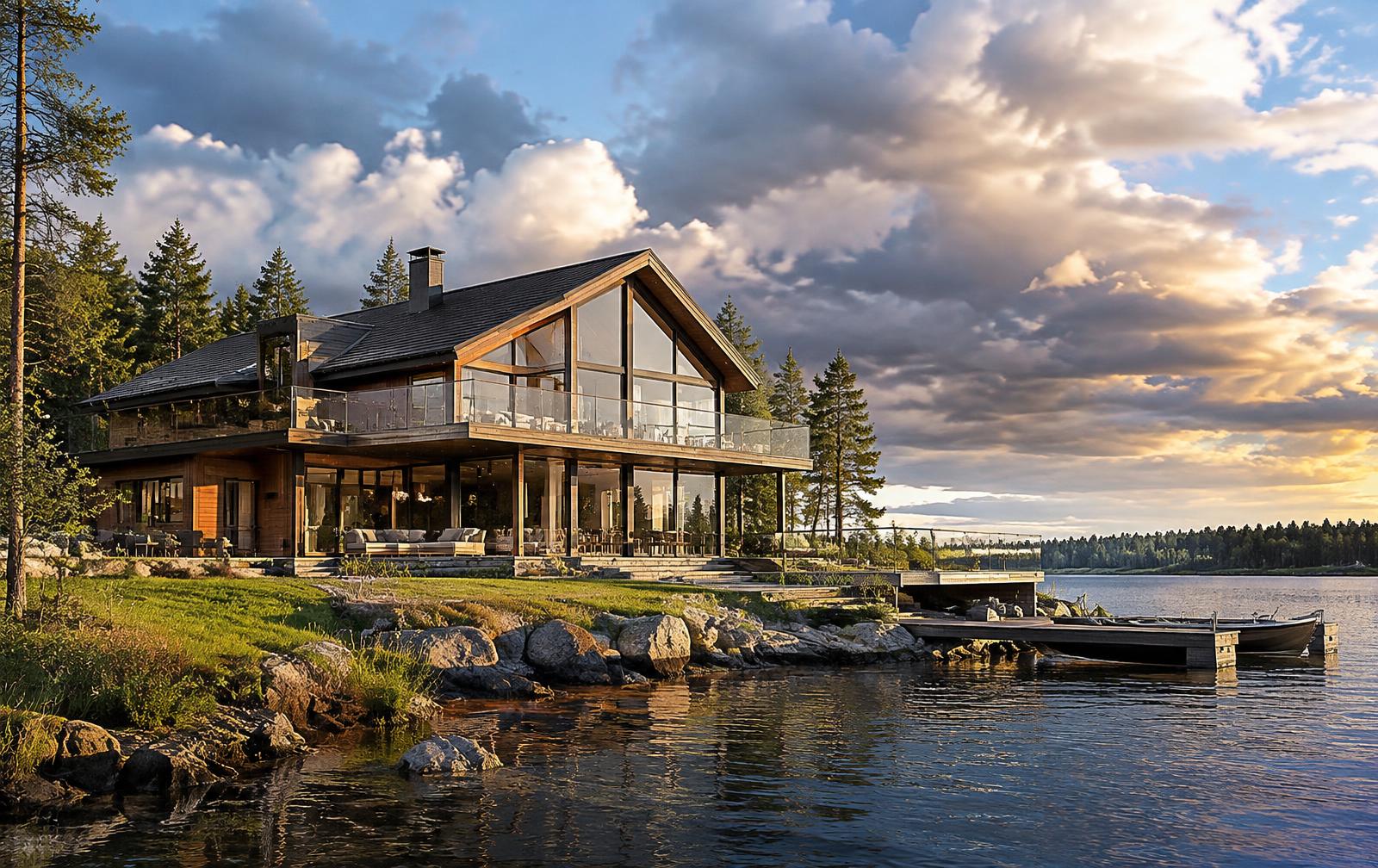
Water, wet paving and polished stone behave the same way. A lake in front of a house is a mirror of the sky, slightly darker and disturbed by ripples. If the sky turns golden, the lake must turn golden too. Generative tools can help here because ripple textures are forgiving, but the colour and brightness of the reflection should still be checked against the sky above.
A delivery checklist
Before delivery, run a short check. Does the shadow direction agree with the brightest part of the sky? Does every reflective surface show the new sky, not the old one? Are the edges around trees, railings and roof details free of halos? Has the AI altered any part of the architecture, such as roof edges or chimneys, while blending? Is the colour of the shadows plausible for the sky shown? Answering these five questions takes two minutes and catches the issues an art director would otherwise send back.
Used this way, AI sky replacement is a genuine time saver. It lets you test five cloud moods in the time a single re-render would take, and it gives the client choices early. It just has to stay subordinate to the lighting you designed in the scene.