Workflow · Blender 4.3 + Cycles X
AgX versus Filmic in Blender: which color transform for arch viz
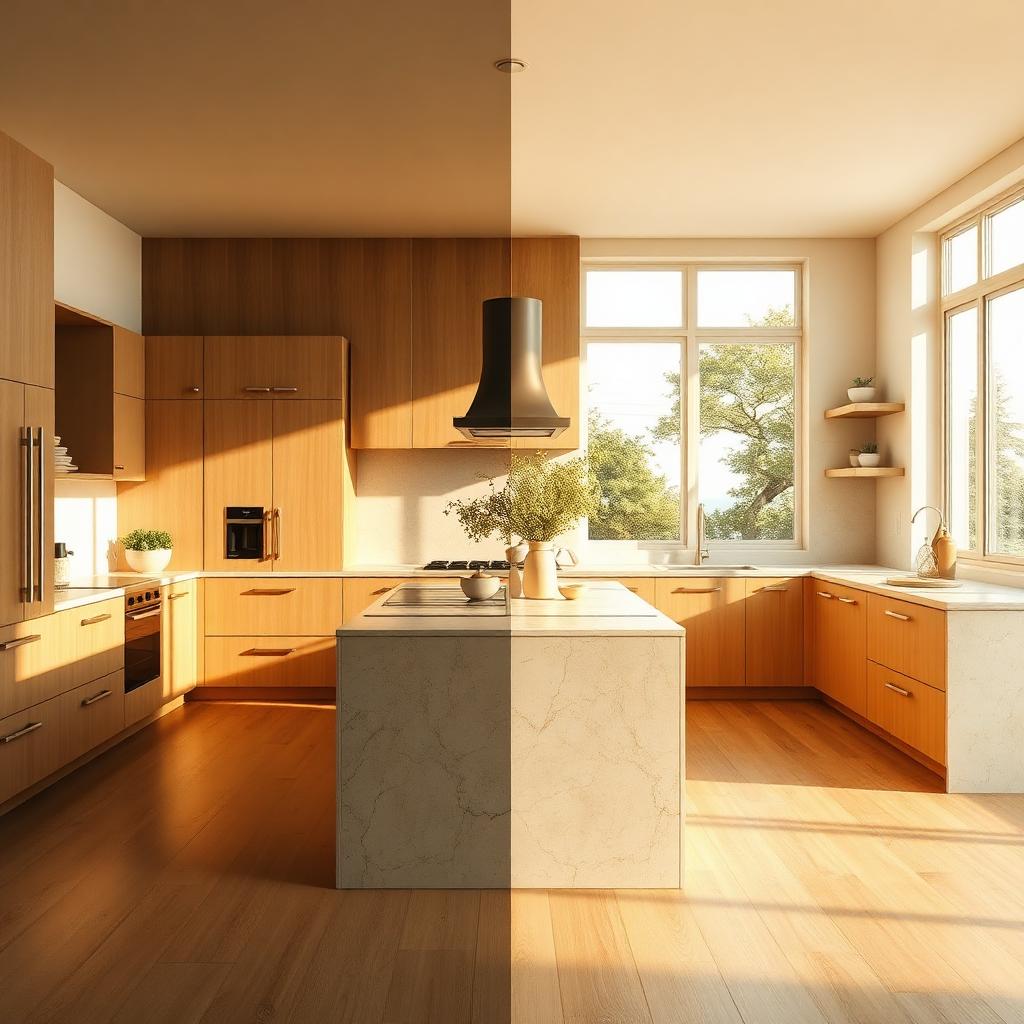
AgX handles highlights and saturation differently to Filmic, and the difference matters most where arch viz lives. A side by side kitchen study in Cycles X.
 WORKFLOW
Every few years arch viz artists have a color management moment, and 2026 is one of those years. AgX has moved from a niche add on to the default view transform in Blender, and enough people have complained about it that the debate is worth having in one place, with a specific scene, and with a working artist perspective rather than a color science one.
The short version. AgX and Filmic solve the same fundamental problem, which is that raw scene referred data has a wider dynamic range and richer color than any display can show, and something has to be done to fit those pixels into a screen without them looking flat or blown. Filmic did this with a wide desaturation curve that pulled hue toward neutral in the highlights. AgX does it with a chroma attenuation model that is closer to how a real digital camera responds. If you have ever taken a photograph of a sunlit wall and watched the color stay recognisable instead of turning white, that is roughly what AgX is trying to do.
For arch viz specifically, the differences show up in three places. First, warm woods under direct sun. Filmic tended to bloom them out to a pale sandy hue as they approached the highlight cutoff. AgX keeps the oak reading as oak all the way up. On this kitchen study, the pale plank floor by the window held its color a full stop later under AgX than under Filmic, and the whole room read as calmer for it.
Second, saturated shadows. Filmic renders shadow chroma quite forgivingly. AgX pulls saturation in the shadows a little tighter, which is more accurate but can feel muted at first glance. On a green sofa or a saturated rug, expect to nudge the saturation in post by about 5 to 8 percent to get the punch you might be used to. This is not AgX being wrong, it is you having learned to compensate for Filmic being wrong in the other direction.
Third, and this is the one that clinches it for interior work, the highlight rolloff on light sources themselves. A pendant bulb, a sunlit strip of counter, a mirror bouncing sun back at the camera. Filmic would smear these into white puddles. AgX holds the shape of the light source considerably longer, which means less post work rescuing overblown areas and less need to underexpose the whole frame just to protect one hotspot.
There are downsides. AgX is stricter about clipped inputs. If you have textures with values above 1 in the source data, Filmic would tolerate it. AgX will show you the mistake as a color shift. This is a feature. It forces cleaner texture authoring. But it also means your first AgX render on an old scene may look different in ways that feel wrong until you audit the assets.
For established Filmic users, the migration path is not to fight it. Switch the view transform to AgX Base Contrast, keep your look contrast neutral for the first week, and stop grading in post the way you did under Filmic. Most of the corrections that used to be necessary under Filmic, particularly warming highlights and pulling saturation up, are no longer necessary. Doing them anyway will make AgX renders look overcooked.
For arch viz teams working across Blender, 3ds Max, and Unreal, AgX also has the practical advantage that a matching AgX OCIO config is available for Nuke, DaVinci Resolve, and even a community port for Unreal Engine 5. This is the first time in a while that a color transform genuinely travels across the pipeline without a translation layer, and it is worth building your grading habits around it because it will still be current in 2028.