Breakdown · V-Ray 7, Corona 12
Rendering pool water that looks wet: caustics, mesh, and refraction
The three settings that make pool water read as water and the two more that push it into cinematic. A dusk infinity pool breakdown for V-Ray and Corona.
 BREAKDOWN
Pool water is one of those materials where the render either sings or dies, and there is almost no middle ground. Either the shot reads as a photograph or the water looks like blue glass sitting on top of a hole. Getting to sings requires exactly the right combination of geometry, shader, and lighting, and none of it is difficult once you have seen it done once.
The first thing to accept is that the water surface must be geometry, not a plane. A perfectly flat plane will render as a mirror, which is exactly what water on a windless day almost is but not quite. Add a subtle noise modifier or a displacement map at around 4 to 8mm amplitude, cell noise at a scale of 40cm, and animate it very slightly if you are doing a walkthrough. The eye does not notice the pattern of the ripples. It notices the presence of ripples, and it notices their absence more than anything else.
The shader itself in V-Ray is a standard VRayMtl with an IOR of 1.33, fully refractive, no diffuse, and a fog color pulled toward teal at a fog multiplier around 0.5. That fog is what makes deep water read as deep rather than clear. Corona uses essentially the same setup with the CoronaPhysicalMtl, refraction enabled, absorption color set to the same teal, and absorption distance around 1.8m. Neither renderer requires anything exotic. The trap is that most artists set fog too dense or the wrong hue, and the pool ends up looking like an aquarium or like antifreeze.
Caustics are the setting that separates the good renders from the great ones. In V-Ray, turn caustics on globally, set subdivs on the water surface material to 2000, and place a VRayLight submerged in the pool if you want the moving pattern on the pool floor. Corona has a caustics solver that is easier to set up but slower. Both are worth the extra render time on hero shots and are usually skippable on establishing wides.
The pool floor material matters more than people think. A pool with a plain white plaster bottom will look sanitary and clinical. Real pools have subtle variation, either from the tile grid at the bottom, from staining, or from lighting variation across the surface. Add a low frequency dirt map to the pool floor at 5 percent influence and it stops reading as brand new.
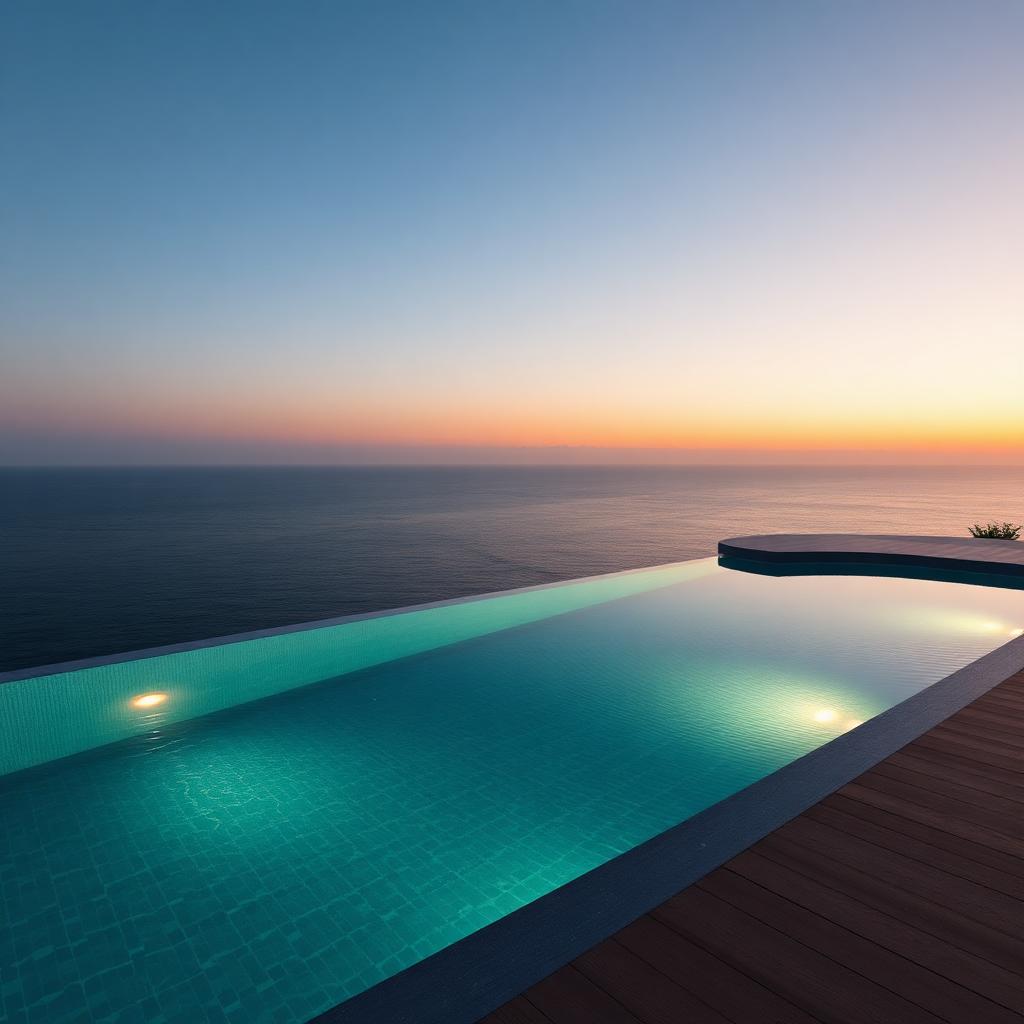
For infinity pools specifically, the edge condition is the make or break moment. The water at the edge must be at the exact same elevation as the finished stone lip, or it will read as puddled below rather than truly infinite. In this scene I dropped the water surface 2mm below the stone edge to fake the small meniscus you get on real infinity edges. The eye reads this as tension, and it is what sells the pool as functional rather than decorative.
Reflection at dusk is where infinity pools become cinematic. The still water reflects the sky, which is the widest and softest light source in the scene at that hour. Do not add a fake environment reflection to the water shader. Let the actual dome light do the work. Any manual environment map on the water will fight with the atmospheric perspective on the sea beyond and the horizon line will lose its edge.
Submerged lighting for dusk shots gives you the glow that reads as luxury in every hospitality render. VRayLight or CoronaLight, spherical, placed at 40cm depth against the pool wall, intensity around 30 to 60 lumens depending on scene exposure, and color at 8000K for a slightly cool underwater feel. Warmer lights read as spa. Cooler lights read as swim. Both are valid, so pick based on the mood of the project rather than defaulting.