Workflow · Revit + 3ds Max
Revit to 3ds Max: a clean workflow for architectural visualization
The bridge from BIM to beauty does not have to be painful. Here is the export, import, and cleanup routine we use on every project without losing geometry or our minds.
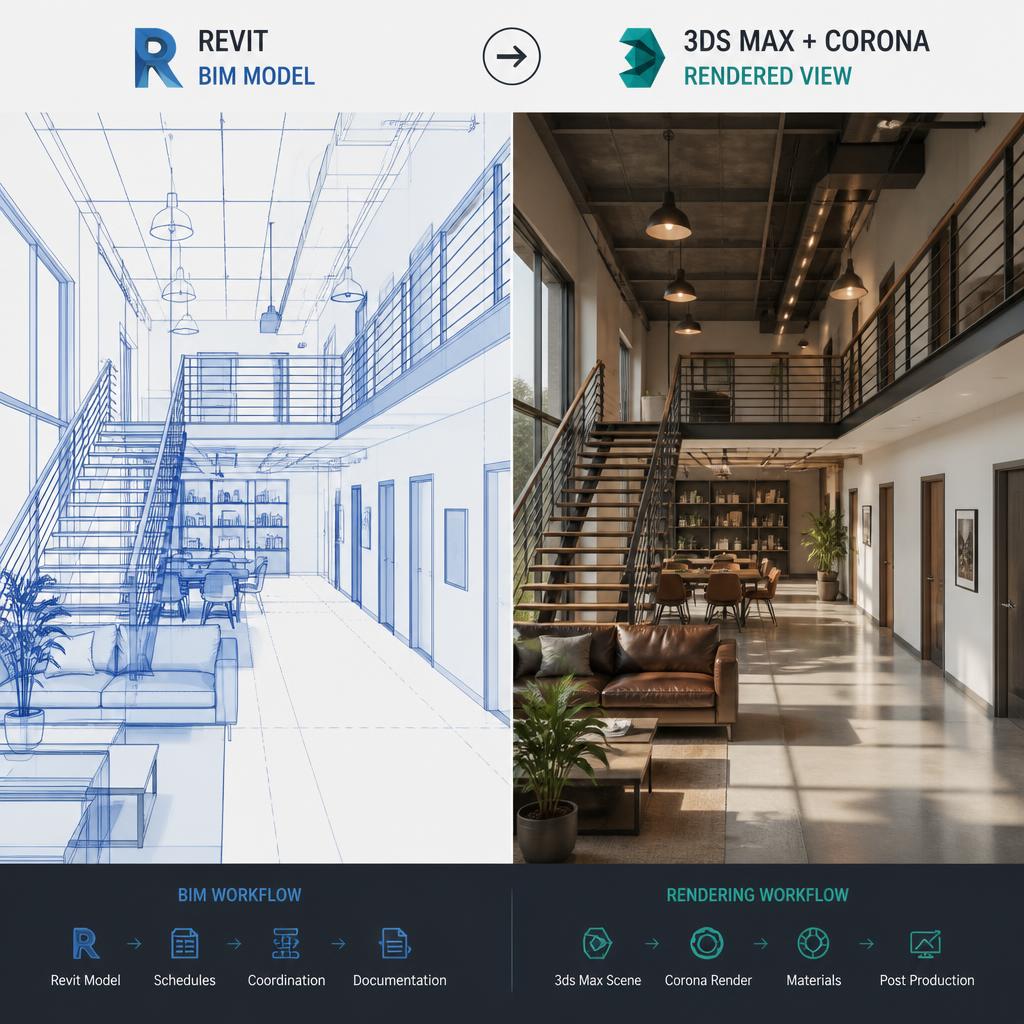 WORKFLOW
I have seen too many studios treat the Revit to 3ds Max handoff like a black art. Artists import a model, spend two days deleting random geometry, and then complain that the architect changed the design. The truth is that most of that pain is self-inflicted. A clean handoff is a process problem, not a software problem.
Start in Revit with a dedicated 3D view for export. Do not use the default {3D} view. Create one called AV_Export, set the detail level to Fine, and turn off every annotation, dimension, and room tag. Hide levels and grids. The only things that should leave Revit are walls, floors, roofs, ceilings, structural elements, and any hosted families you actually want geometry for. Everything else is noise.
Use FBX, not DWG. DWG imports explode Revit families into raw lines and make material assignment nearly impossible. FBX preserves the hierarchy, keeps instances as instances, and carries material names across. Set the export to Current View Only, make sure Combine Common Materials is off, and uncheck Save Linked Files unless you want every linked model merged into one chaotic mesh.
When the FBX lands in 3ds Max, the first thing I do is run a sanity check. Select all, check the polygon count, and look for any object with an absurd number of faces. Revit loves to subdivide curved walls into tiny triangles, and imported entourage can arrive with millions of polygons. If a single family is over fifty thousand faces, it needs replacing with a viz-friendly version before you do anything else.
Next, fix the units. Revit exports in feet and inches by default, and even if your project is metric the FBX often comes across in Imperial. Check the System Unit Setup in 3ds Max before you merge. A one-metre wall imported as one foot is a disaster that is easy to miss until the camera looks wrong and you cannot figure out why.
Material cleanup is where most people lose time. Revit material names come across as long strings with colons and brackets. I run a script that strips the names down to the last segment and assigns a Corona or V-Ray physical material based on a lookup table. Concrete becomes concrete, M_Wood becomes wood, and Glass stays glass. It is not glamorous but it saves hours.
We keep the Revit link live using the File Link Manager, not a static import. That means when the architect issues a new model, we can update without starting over. The caveat is that File Link Manager has opinions about how it handles materials and modifiers. We apply all material overrides and UVW maps on top of an Edit Poly modifier so they survive an update. If you collapse the stack, the next reload will wipe your work.
One habit that has saved us repeatedly: export the site and context separately from the building. Site topography, surrounding buildings, and landscape elements should come in as a second FBX on their own layer. Architects change the building far more often than they change the site, and separating the two means you can reload one without disturbing the other.
Do not model entourage in Revit. People, cars, detailed furniture, and planting should never cross the bridge from BIM. They bloat the file, break instancing, and look terrible. Export the architecture clean, then populate the 3ds Max scene with proper viz assets. Your render will thank you and your Revit file will stay nimble.
The final step before lighting is a geometry audit. Run a STL check, weld vertices on imported meshes, and cap any holes that should not be there. Revit exports sometimes produce coplanar faces or double-sided geometry that confuses renderers. Ten minutes of cleanup here prevents two hours of light-leak debugging later.
The best part of a clean workflow is that it makes iteration cheap. When the architect sends a new model on Thursday afternoon, you can reload, remap, and have an updated hero shot by Friday morning. That is the difference between a visualization studio and a rendering service.