Workflow · Corona
360 panorama tours: the cheapest way to stop client revision loops
Stills get approved, then the client walks the model and asks to move the camera two metres. A linked panorama tour kills that meeting before it happens. How to produce them without doubling your render bill.
 WORKFLOW
Every arch viz studio knows the meeting. The stills were approved two weeks ago. Then the client asks what the view looks like from the hallway, or standing at the kitchen island, and you realise the approved images answered only the questions you chose to ask. A 360 panorama tour answers all of them at once, and it costs far less than the revision loop it replaces.
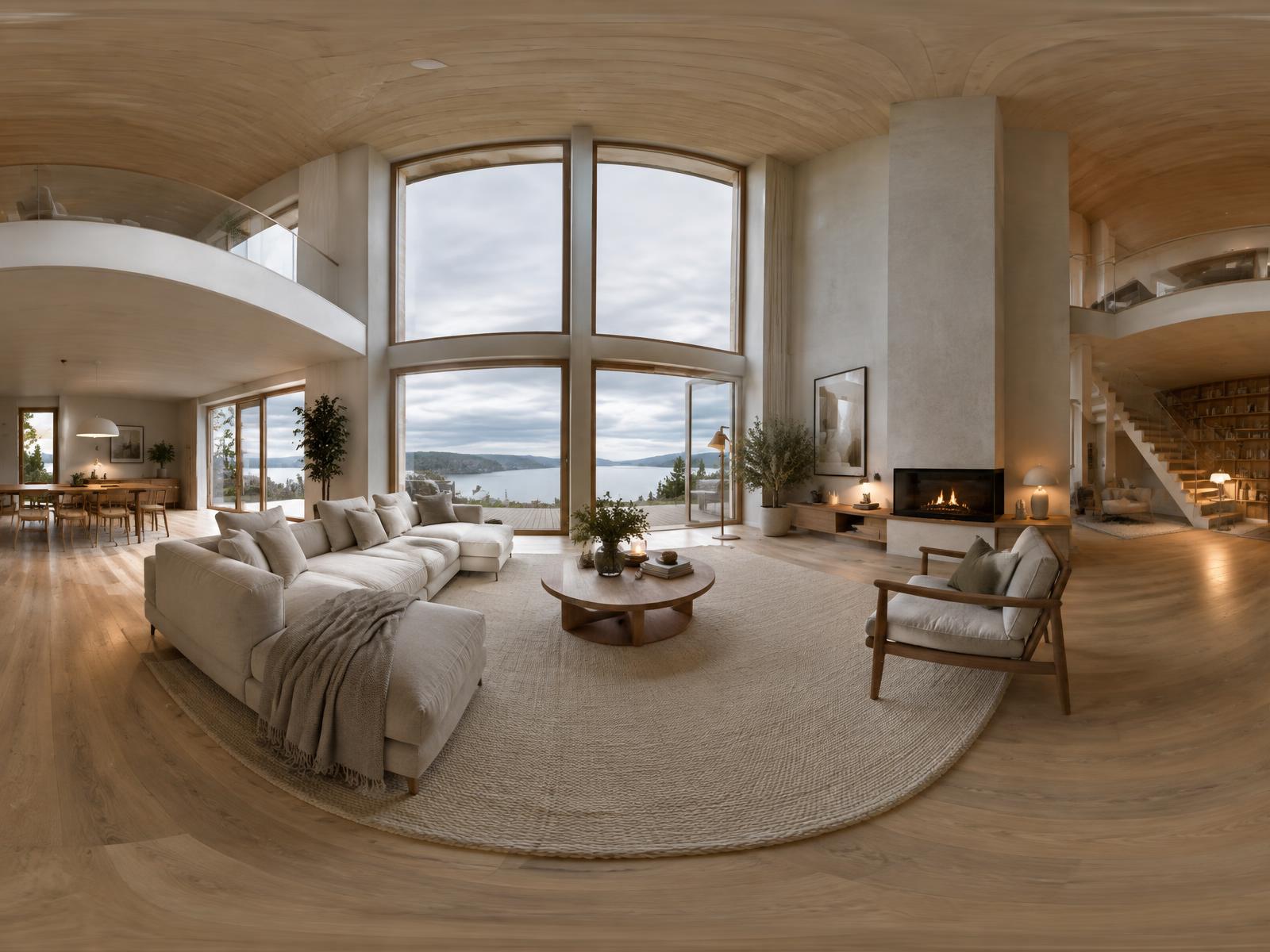
The production difference between a still and a spherical panorama is smaller than people assume. In Corona and V-Ray you swap the camera to spherical projection, set a 2:1 resolution, and render. Everything else in the scene is identical. The catch is resolution: a panorama that holds up on a desktop needs to be around 8000 by 4000 pixels, because the viewer only ever sees a window of roughly 90 degrees. That sounds heavy, but one 8K panorama replaces three or four conventional stills of the same room, so the arithmetic usually works in your favour.
Camera placement becomes the one decision that matters. A still camera can hide in a corner and crop out the unfinished end of the room. A panorama sees everything, so the camera has to sit where a person would actually stand, at eye height, away from walls. I place them at 1600mm and at least a metre from any surface. Two panoramas per main room, linked as hotspots, covers a typical residential project. More than that and clients get lost; fewer and they start asking for the corners again.
The discipline the format imposes is the hidden benefit. Because the panorama cannot crop, every part of the room has to be finished to the same standard. That forces you to fix the awkward corner and the ceiling detail that a still would never show. Studios resist this at first because it feels like extra work. In practice it front-loads the work that revision rounds would have demanded anyway, and it does so before the client has seen anything, which is a much cheaper time to do it.
Hosting is simpler than the production. Self-hosted viewers based on Pannellum or Marzipano are a few lines of JavaScript and keep the files on your own domain, which matters for portfolio longevity. Services like Kuula or Roundme handle hotspots, headsets, and mobile fallback for a monthly fee. Either way, deliver the client a link, not a file. A link gets opened in the meeting; a download gets forwarded until it expires.
Where panoramas genuinely change the commercial picture is sign-off speed. A client who has walked the room virtually approves the stills with confidence, because the stills are now highlights of a space they feel they have visited rather than the only evidence they have. Studios that offer a linked tour as standard report fewer late-stage camera requests and shorter approval chains, and the tour itself becomes a deliverable the client shows their own stakeholders, which is free exposure for your work.
A few practical rules. Render the panorama before you commit to still angles, and pick your still cameras from inside the approved panorama, which guarantees the stills and the tour agree. Keep verticals vertical; a spherical render with a tilted camera produces a horizon that nauseates viewers in a headset. And grade the panorama flat, then apply the grade again to the stills cropped from it, so the whole package reads as one piece of work.
The format is not right for everything. Hero marketing images still want a composed still with a considered focal length, and fast moving design development is better served by quick viewport clay renders. But for the approval stage, where revisions are most expensive, a linked panorama tour is the closest thing arch viz has to a finished argument.