Lighting · Corona 12
Caustics in archviz: when to render them, when to fake them, and when to walk away
Pool caustics can make or break a spa render. Here is how to get those dancing light patterns without drowning your farm in samples.
 LIGHTING
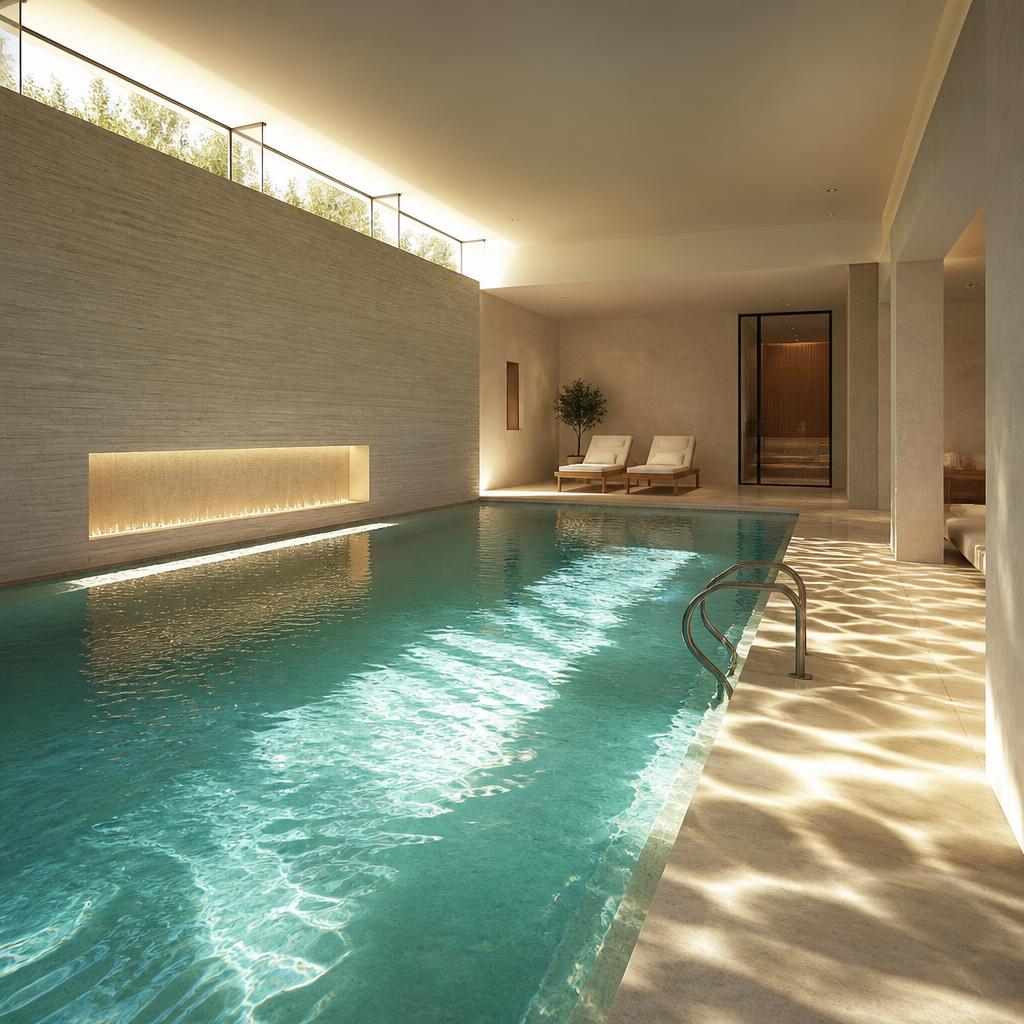
There is a moment in every pool render where you have to decide how honest you are going to be about the light. Caustics, those sharp rippling patterns that sunlight casts through water, are one of the most seductive and most expensive effects in archviz. Get them right and the image feels like a photograph. Get them wrong and it looks like someone spilled a light leak across the floor.
The first question is always the same: will the caustics even be visible in the final composition? If the camera is across the room and the pool is a small rectangle in the background, nobody cares. If the camera is at deck level and the water fills half the frame, the caustics are the image. Do not spend render budget on effects that do not show.
In Corona, enabling caustics is one checkbox in the render settings, but that checkbox is not the whole story. You also need a real sun or a strong directional light, the water surface needs proper displacement, and the receiving material needs to be smooth enough to read the pattern. Missing any one of those and the checkbox does nothing useful.
Water displacement is the part people skip. A flat water plane with a normal map will give you flat caustics. Real caustics come from the interaction of light with a three-dimensional wavy surface. We model the pool water with a displaced mesh using a combination of large, medium, and small wave frequencies. The big waves move the pattern, the small waves break it into sparkles.
Render time is the real cost. Caustics are noisy by nature because light is being focused through an irregular lens. You can easily double or triple your render time chasing clean caustics. My rule of thumb: if the caustics are a hero element, give them the samples they need. If they are a background detail, render a noisy pass and blur it in post. Nobody will know.
Faking caustics is not cheating. It is a production decision. The classic fake is to render the pool from above with strong sunlight, capture the light pattern on the pool floor, and project that back onto the deck as a decal or light texture. It works surprisingly well for still images because the camera does not move. For animations it falls apart the moment the water or camera shifts.
Another fake I use often is a gobo in a spotlight. Place a light below the water line, point it up through a caustic-pattern texture, and let it cast sharp shadows on the ceiling and walls. It gives the impression of water reflections without simulating the physics. It is fast, controllable, and looks great in interiors where the pool is not directly in frame.
The receiving surface matters more than you think. A polished marble deck will show crisp caustics. A rough stone deck will diffuse them into soft blobs. If your caustics look too sharp, the problem might not be the water. It might be that your deck material is too glossy. Roughness maps are your friend here.
Color is another subtlety. Caustics pick up the color of the water and the pool interior. A white pool with blue water gives cool cyan patterns. A dark pool with warm tile gives muted amber patterns. Do not just make them white. The color cast is what sells the depth and the material.
My final piece of advice is to know when to stop. Caustics are one of those effects where chasing perfection can eat a whole day. Render a version with real caustics, render a version with faked caustics, and show both to the client. Nine times out of ten they pick the fake because it is cleaner and the render farm is still available for the rest of the project.