Interiors · 3ds Max, Blender, V-Ray, Corona
Drapery and fabric shaders that read as textile, not plastic
Sheen weight, translucency, and the mesh density that stops your linen curtains from folding like sheet metal. A working method for warm interior renders.
 INTERIORS
Fabric is the material archviz artists get away with faking longest, until suddenly they cannot. A hero bedroom shot with a hero client will fail on the curtain long before it fails on the joinery, because the human eye has spent a lifetime looking at fabric and it recognises when the drape is wrong. Three things almost always cause the failure. Mesh density is too low, sheen is missing, and there is no translucency.
Start with the mesh. A curtain modelled as a simple plane with a bump map is not a curtain, it is a wall with a fabric texture on it. The folds must be geometry. Use the cloth simulator in your tool of choice. In 3ds Max, mCloth or the older Cloth modifier both work. In Blender, the built in cloth sim is faster and more predictable in 4.x than it has been in years. Drop the fabric with two or three pin points at the curtain rod, run 60 to 100 frames of simulation at 2mm subdivision, and cache the result. The specific fold pattern is what makes each render feel unique.
Sheen is the property most fabric shaders miss. In VRayMtl, the Sheen color parameter with a value around 0.3 to 0.5 adds the soft grazing angle highlight that all textile has. Corona has an equivalent in the PhysicalMtl. In Blender's Principled BSDF, the Sheen and Sheen Tint sliders do the same job. Turn it up too high and the fabric reads as satin. Turn it down to zero and the fabric reads as painted plastic. The right level depends on the fibre, roughly 0.2 for cotton, 0.35 for linen, 0.5 for velvet.
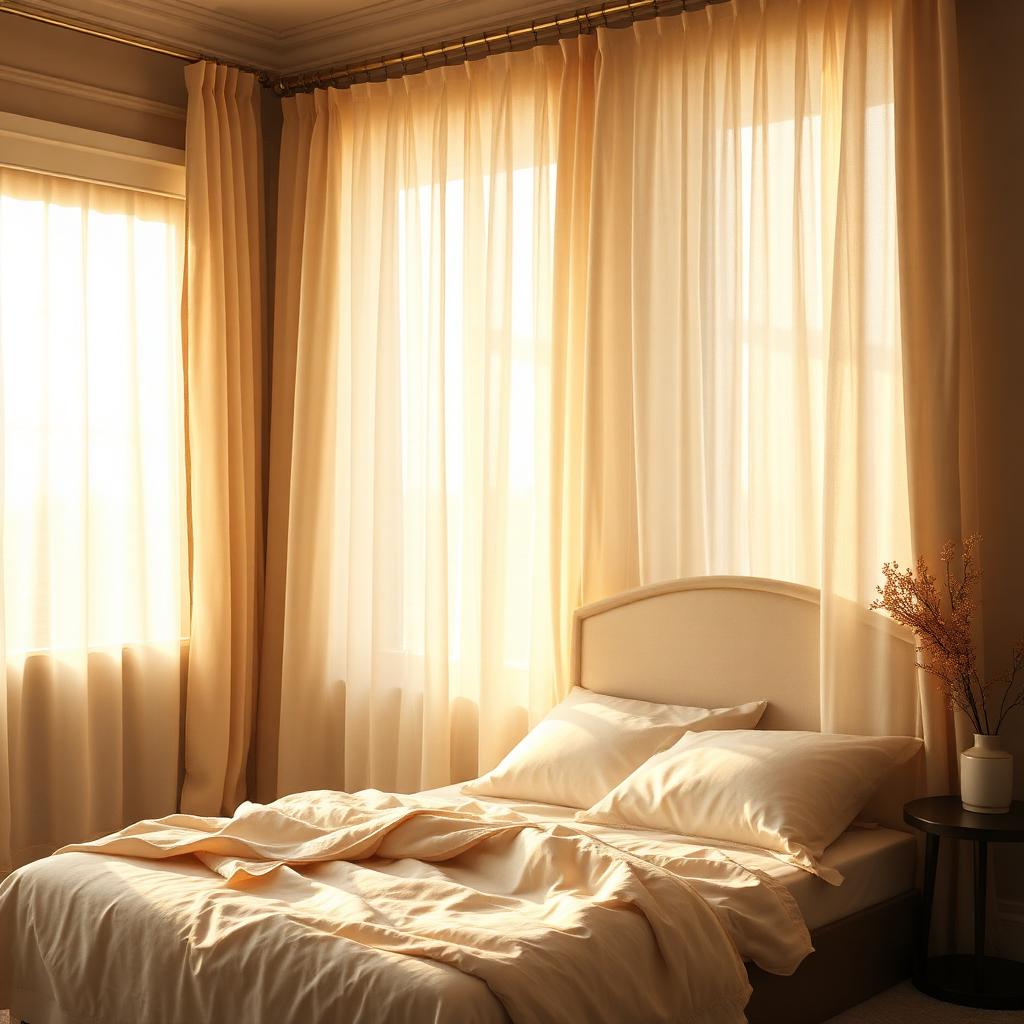
Translucency is the setting that makes sheer curtains feel like sheer curtains. In V-Ray, use the translucency mode on VRayMtl with a light tint pulled toward the fabric color and a thickness around 1 to 3cm. In Corona, use the SSS component with high scattering and low absorption. The effect is subtle. Backlit fabric should glow slightly. If you can see the sun through the curtain but it does not warm the fabric itself, you have missed translucency. This one setting is what separates every good sheer curtain render from every mediocre one.
For heavier drapes, a small amount of anisotropy in the reflection adds the directional weave sheen you see on real velvet or thick cotton. Anisotropy amount around 0.4, rotation aligned to the vertical direction of the fabric warp. This is subtle enough that most viewers will not name it but will feel that the fabric has weight.
Displacement is optional and often counterproductive. A subtle bump map at 5 to 10 percent weight is enough to break up the specular. Displacement adds render time and rarely helps at typical viewing distances. If the camera is 30cm from a chair upholstery in a close up, displacement earns its cost. In a wide bedroom shot, it does not.
One trick that took years to learn. Fabric colors read differently under warm and cool light. The linen in this scene is technically off white. Under the 4400K morning sun through the window it reads as warm cream. Under a neutral studio light it would look pale grey. Author your fabric texture as neutral and let the lighting do the color work. Fabric authored with baked in warmth will look orange under warm light and dead under cool light.
The last note is a materials library one. Save your fabric shaders with their cloth simulation cache alongside. A curtain shader without the drape data is just a starting point. A shader plus a cached drape is a reusable asset that gets faster to deploy on every subsequent project.