Real-time · Unreal Engine / OpenXR
VR architectural design reviews: a production guide to scale, comfort and useful client decisions
Build VR architectural design reviews that answer real project questions. A detailed guide to model scale, headset performance, comfortable navigation, material limits and traceable client feedback.
 REAL-TIME
Start with a decision, not a walkthrough
A VR architectural design review is not a marketing animation with the camera handed to the client. Its job is to expose a spatial question while a change is still affordable. Can someone understand the entrance from the reception desk? Does a ceiling feel oppressive above a seating group? Is the route around a library shelf legible when another person occupies the aisle? A headset can make these questions easier to discuss, but immersion alone does not make the answers reliable. Incorrect scale, uncomfortable movement or an undocumented design version can turn a persuasive experience into misleading evidence.
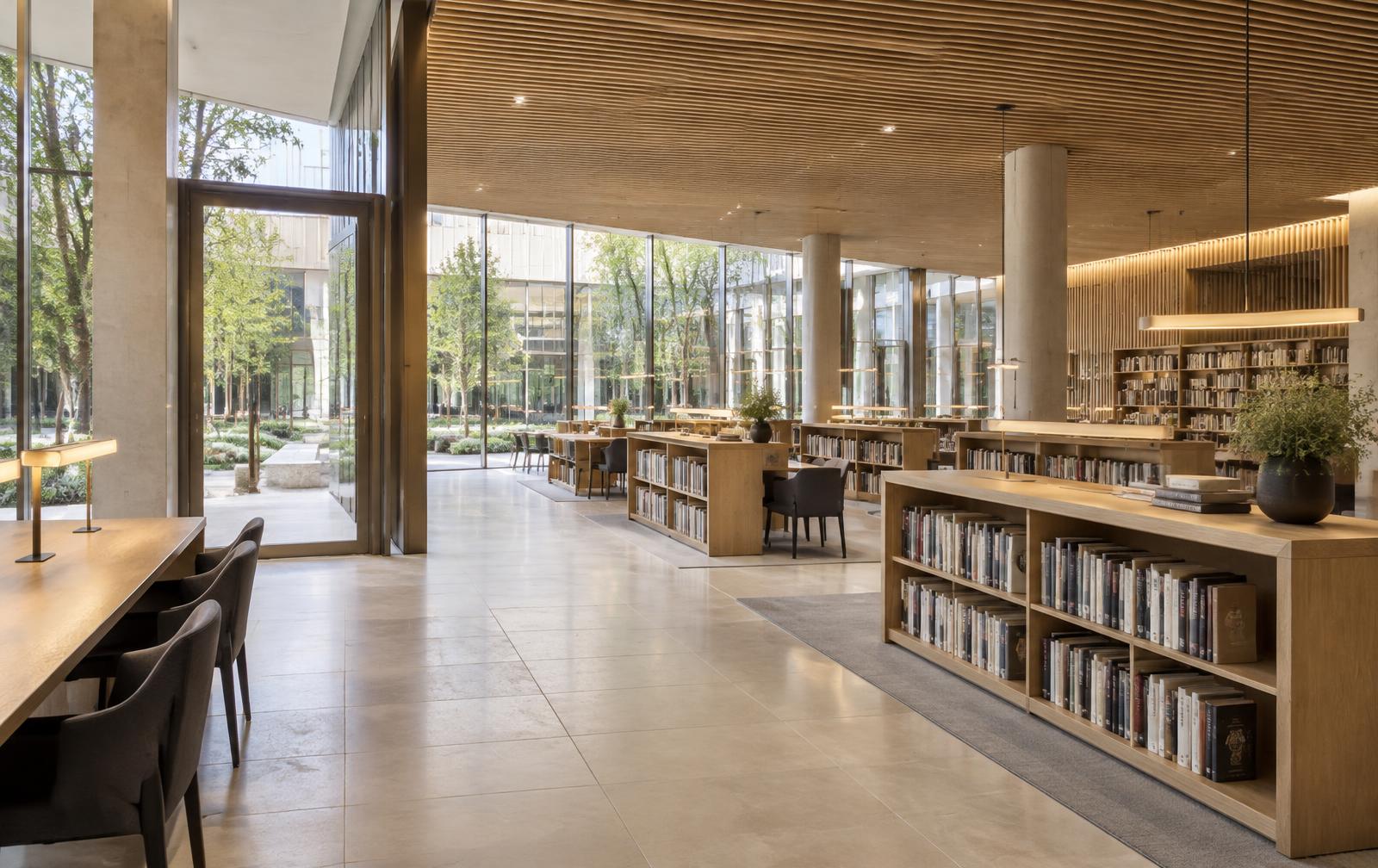
Write a short review brief before converting the scene. Identify the spaces, decisions, participants and expected outputs. For a library, that might mean comparing two shelf arrangements, checking sightlines from a seated position and discussing the transition from the entrance to the reading area. Exclude questions that the experience cannot answer confidently, such as verified illuminance, acoustic performance or statutory compliance. This is the difference between a review environment and a digital showroom: the scene is organised around decisions, not around showing every asset that the studio has modelled.
Choose between a panorama, desktop VR and standalone VR
A panoramic tour, a PC-rendered six-degree-of-freedom experience and a standalone headset application are different deliverables. A panorama offers a view from a fixed capture point, so users cannot meaningfully inspect parallax by leaning around a shelf. Desktop VR renders on a connected computer and can support a more demanding scene, subject to the GPU, headset runtime and connection. Standalone VR renders on the headset and needs a separate mobile-minded performance budget. Wireless streaming from a PC remains PC-rendered VR; removing the cable does not turn a desktop project into a standalone application.
Select the delivery format around the review task and the client's circumstances. Fixed panoramas may be sufficient for comparing broad finish schemes from agreed viewpoints. Checking a reception counter from several body positions calls for tracked movement and a coherent three-dimensional scene. A portable standalone build may suit repeated site meetings, but its simplifications must be documented. OpenXR helps applications communicate with compatible XR runtimes; it does not guarantee identical controller behaviour, graphics support or performance across headsets. Specify the actual supported hardware and runtime rather than promising that a build works everywhere.
Protect world scale and the viewer's eye position
World scale is the first acceptance check. Unreal Engine normally uses centimetres for distance, but an imported scene can still arrive with the wrong dimensions because of export units, object transforms or conversion settings. Compare several known dimensions in the engine with the approved model: a doorway, a counter height and a long room span are better checks than one familiar chair. Keep the XR world-to-metres relationship at its intended setting and investigate discrepancies at the source. Changing the world scale to make a space feel more generous changes the experience of the entire building.
Eye height requires equal care. A seated user, a standing user and a presenter using a simulated camera are not equivalent observers. Confirm how the runtime's floor reference and the application's tracking origin combine with the pawn. Avoid adding a fixed eye-height offset on top of an already floor-relative tracked headset. Put the real user into the scene, inspect a known reference and check that crouching or sitting behaves sensibly. A wheelchair-user review should involve appropriate viewpoints and participants, but a headset session alone cannot validate accessibility or replace a dimensional review against the applicable standards.
Build a review model, not a showroom export
Prepare geometry according to what the review can expose. A still-render scene often contains missing rear faces, shallow background props and furniture arranged to suit one camera. VR removes that protection. A client may lean toward a counter edge, turn away from the intended composition or look up at an unfinished ceiling. Prioritise the approved envelope, reachable surfaces, furniture dimensions and objects that affect circulation. Remove hidden complexity that serves no decision, but do not simplify away the shelf end, door swing or column that the review is meant to examine.
Keep visual geometry, collision and navigation data as separate responsibilities. A detailed chair does not need every bevel represented in its collision shape, while a thin glass wall still needs a reliable boundary. Inspect collision around stairs, thresholds and doorways instead of trusting automatic generation. Make teleport destinations correspond to usable floor areas rather than any surface that happens to be horizontal. Protect the user from landing inside furniture or beyond the intended review zone. None of these virtual boundaries replaces the physical play-area boundary established by the headset and meeting host.
Budget frame time for the actual headset
Evaluate performance in milliseconds, not only in average frames per second. At a configured refresh rate of 90 Hz, one refresh interval is approximately 11.1 ms; at 72 Hz it is approximately 13.9 ms. These are timing references, not guarantees that the entire interval is available to the application's GPU workload. The runtime and compositor also matter. CPU and GPU work can overlap, so simply adding their reported times does not describe the full pipeline. Profile both, look for spikes and understand when the runtime is substituting reprojected frames for newly rendered ones.
Run the packaged application on the delivery headset, at the agreed render resolution and runtime settings. An editor viewport is not a stereo performance result. Inspect demanding viewpoints: glazing facing a courtyard, overlapping translucent materials, a long vista through several rooms and a cluster of shadow-casting fixtures. Record the headset refresh setting, hardware, quality profile and connection method with the results. Optimise the expensive category first, whether that is CPU submission, shadows, transparent surfaces or oversized textures. A universal polygon limit cannot describe these costs, and a quiet average can conceal an uncomfortable moment during a head turn.
Choose lighting for stereo rendering, not a still camera
Choose the rendering path early. The VR performance and forward-rendering documentation should guide a dedicated configuration rather than a collection of settings copied from a cinematic scene. Instanced stereo or mobile multiview can reduce particular rendering overheads on supported paths, but they do not make the second eye free. Forward shading, anti-aliasing, lighting and material features need to be considered together. A production baseline using baked lighting and carefully limited dynamic lights is often easier to make predictable than a desktop scene whose appearance depends on expensive real-time effects.
Do not assume that enabling Lumen for a desktop architectural walkthrough makes it suitable for a headset. Epic's dedicated XR documentation describes Nanite and Lumen as experimental and not officially supported for XR, with an experimental path limited to PC, the deferred renderer and DX12, not mobile XR hardware. Treat that configuration as a separate investigation rather than a client-ready promise, and check the documentation for the engine version in use. Lighting simplification also changes what can be reviewed: baked indirect illumination will not automatically update when a client moves a major partition. If two architectural options materially alter daylight or bounce, prepare correctly lit variants rather than swapping geometry over one unchanged lighting solution.
Make navigation predictable and optional
The safest default interaction is understandable before the user moves: a stable starting point, a visible destination indicator, teleportation and an optional discrete turning method. Provide room-scale movement within the physical boundary, but do not require the client to walk across a meeting room to reach the next virtual space. Smooth locomotion and continuous artificial turning can be uncomfortable for some users. Make them optional, explain them before activation and provide an immediate way to stop. Never animate the tracked camera through a cinematic entrance while the participant expects their head movement to control the view.
Design the review route as a set of useful stations. In the library example, an entrance position, a seated reading position and a point between shelves answer more than a long undirected tour. Label destinations by space or purpose, not by internal camera numbers. Keep menus readable without forcing the user to inspect tiny text at arm's length, and avoid placing them where they obscure the architecture. Offer a desktop companion view so participants who cannot or do not wish to use a headset can still contribute. Comfort and access are conditions of a useful review, not optional presentation polish.
Separate visual preference from technical approval
Materials in VR are evidence about appearance under a particular display and rendering configuration, not physical samples. Check texture scale against known dimensions, inspect tiling across large surfaces and reduce unstable fine detail that shimmers in stereo. Compare material variants under the same lighting and exposure so one option is not favoured by a brighter presentation. A headset's optics, display characteristics and image processing can affect perceived colour and contrast. Use physical samples for finish approval, and do not describe a persuasive virtual stone or timber as a verified match to a supplied product.
Spatial judgement needs the same restraint. VR can help a group notice that a shelf blocks a view or that two seating arrangements have different degrees of enclosure. It cannot certify a clearance simply because the reviewer felt able to pass through it. Return to dimensions, drawings and the relevant professional review when the decision has a compliance consequence. Keep optional entourage identical across comparisons: removing people from the preferred option makes its circulation appear easier without changing the plan. Mark design-development elements clearly so clients do not mistake illustrative furniture for an approved specification.
Run a structured client session
Before the meeting, confirm the model revision, option names and review agenda with the project team. Check that confidential project content remains inside approved storage and collaboration services. Prepare the hardware, charge controllers, clean contact surfaces according to the manufacturer's guidance and clear the physical area. Assign a facilitator who watches the participant rather than concentrating only on the spectator monitor. Explain the boundary, navigation and stop procedure in ordinary language. Begin at a calm orientation point and let the participant look around before asking them to solve a design problem.
Run the session question by question. Ask what the participant can see from the desk before asking which layout they prefer. Distinguish observation from interpretation: the entrance is hidden behind the shelf is a different statement from the room feels unwelcoming. Show comparable viewpoints for alternatives and let the reviewer return to them. Do not push through dizziness, fatigue or discomfort to finish the agenda. Pause immediately when needed and continue on the companion display or drawings. A short session that yields two clear decisions is more valuable than an impressive tour whose participants cannot remember what was agreed.
Turn comments into a traceable revision record
Capture each comment with its location, viewpoint, option and model revision. Where practical, store the virtual camera position and a reference screenshot alongside the written note. A spectator image is supporting context, not a precise reproduction of the participant's binocular perception. Record the actual observation in words. Assign an owner and identify whether the item is a design change, a modelling correction or a presentation issue. This prevents a complaint about a dark virtual corner from becoming an unapproved instruction to change the architectural lighting scheme.
Close the feedback loop after the session. Send a decision record that separates accepted changes, matters requiring another consultant's input and unresolved preferences. Revise the source model rather than creating an isolated correction that disappears on the next import. When a changed shelf arrangement affects circulation or sightlines, repeat the relevant review stations instead of assuming that approval of the plan covers the experience. Archive the reviewed build or a reproducible version record so the team can identify what the client actually saw. The useful deliverable is not just an executable; it is a defensible chain from observation to decision.
Define acceptance before the final handover
Define handover acceptance before final polishing. The agreed headset must launch the packaged build, the floor reference must be correct, navigation must remain inside the review area and every advertised option must display the intended revision. Review performance along the actual meeting route and document any known limitations. Include a simple recovery procedure for loss of tracking or connection, plus a non-headset fallback. If the experience depends on a particular PC or runtime configuration, state that dependency plainly instead of handing over a file with an implied promise of unrestricted compatibility.
The most effective starting project is a bounded room with one important decision. Validate scale, establish a comfortable navigation scheme and profile the intended headset before expanding the model. Then use the session to collect observations that can be checked and acted upon. Architectural VR earns its production cost when it makes a difficult spatial discussion clearer and keeps the consequences traceable. Fidelity matters, but a beautiful experience that cannot distinguish an approved design from an illustrative option is less useful than a restrained one that helps the team make the right change.